Period 3, start to finish

Fifty minutes with a Year 10 class: a topic pasted at 10:40, a live team competition at 11:05, and written feedback for every pupil by 11:30. Every screen below is the real product, running with our fictional demo school.

For computing teachers in Northern Ireland and across the UK. Free forever for one class of 35. C2k, Microsoft 365 and Google Workspace accounts work out of the box.

10:40

Paste a topic. Get a lesson's worth of tasks.

Type “GCSE Python lists and loops, mixed ability” or paste a link to a revision page. Educatr writes auto-marked tasks with hints, test cases and teacher notes, mapped to your exam board. It's saved as a draft so you check it first.

  • Ten ready-made packs on day one: Python, C#, OCR pseudocode, binary, logic gates, Scratch, web, CTF puzzles and algorithms
  • Teacher notes explain the idea in plain English, for when computing isn't your specialism
  • Describe what “correct” means and AI writes the marking checker for you

17%

of schools have no teacher trained in computer science (Teach First, 2025). Teacher notes in every pack explain the ideas in plain English.
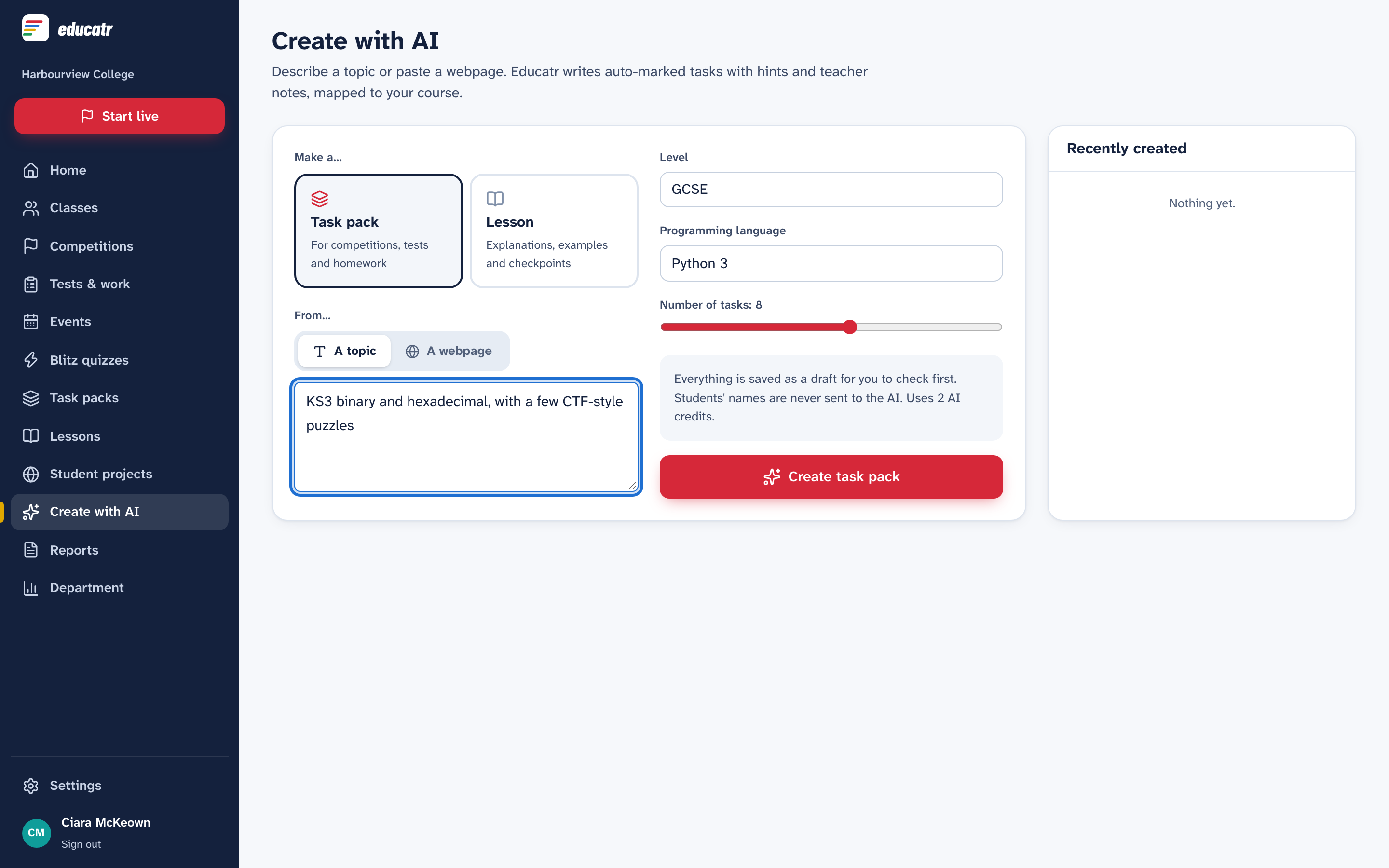
Create with AI: a teacher typing a topic to generate a task pack
10:45

Thirty students. One code. No passwords.

  • Students sign in with their C2k, Microsoft 365 or Google account, or just type the code on the board and a first name
  • Guests need no email and their data is deleted automatically after 30 days
  • Printable PIN cards for primary classes and pupils without email
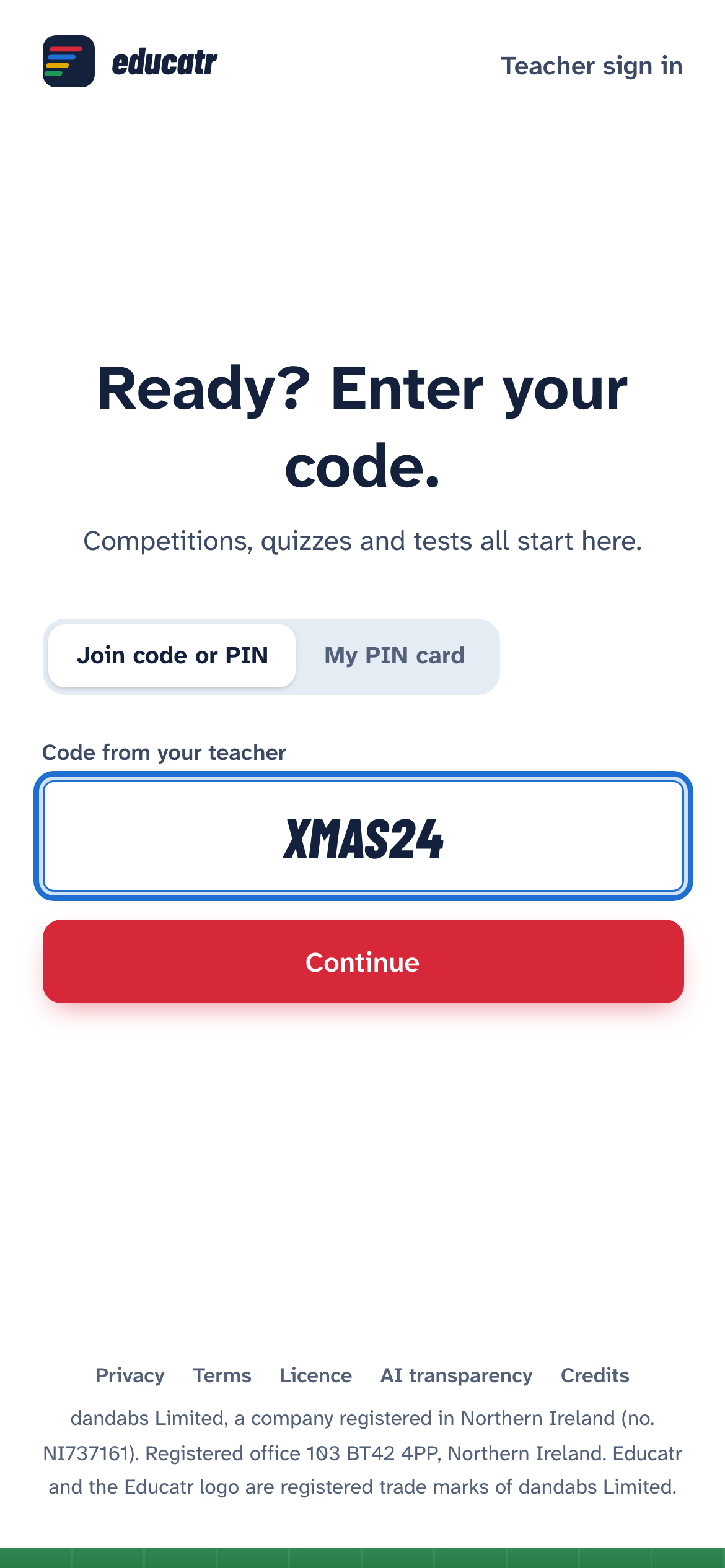
Joining with a code on a phone
Works on Chromebooks, suite PCs and phones

Nothing to install. The editor, the code runner and the live web preview all run in the browser, so it works on locked-down school devices.

10:50

Real code, every language your exam board uses.

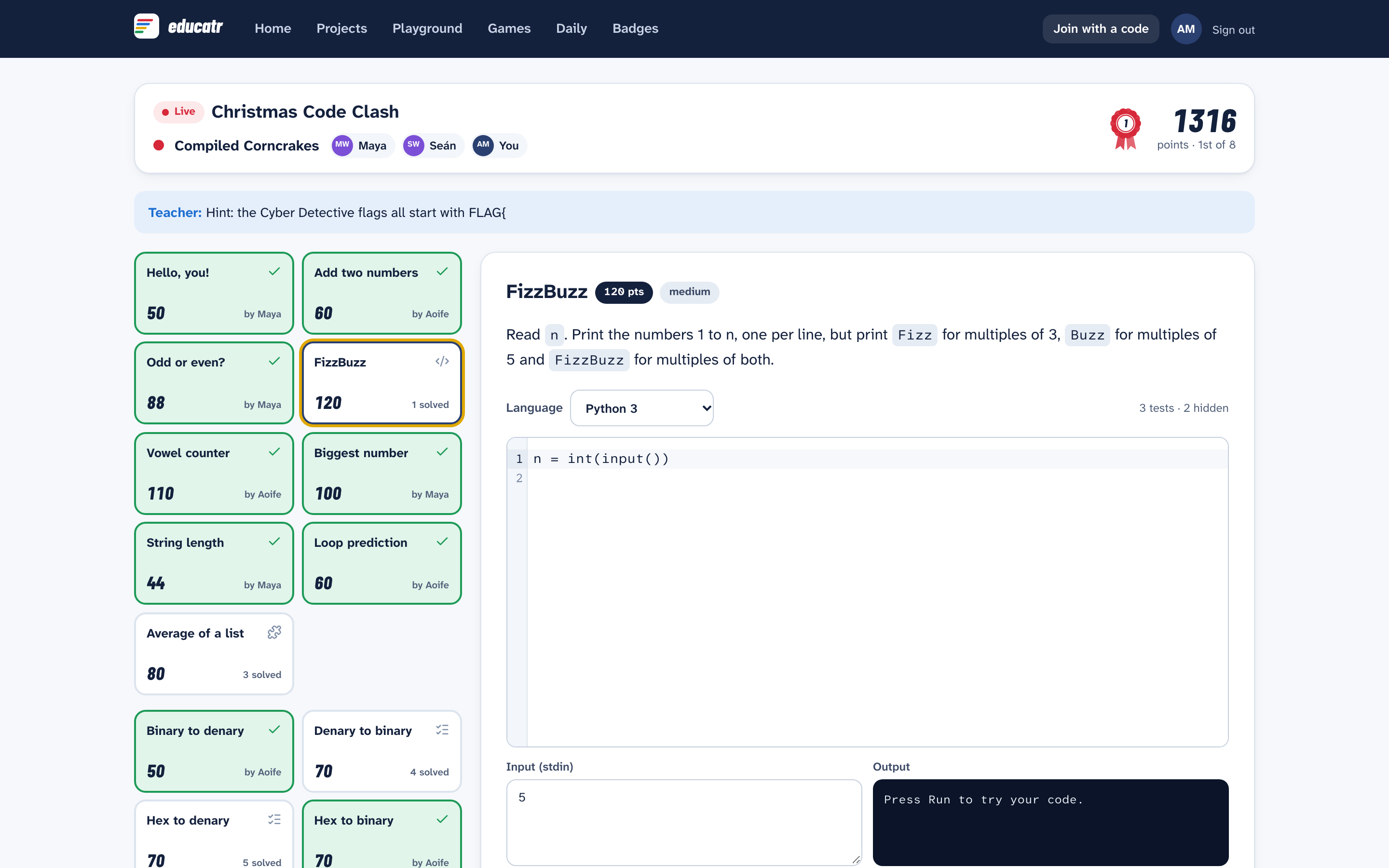
A student solving FizzBuzz in Python inside a team competition

Python, C#, Java, VB.NET, JavaScript and more, run safely in a sandbox and marked against visible and hidden test cases. Plus Scratch projects, HTML/CSS/JS with a live preview, Parsons problems, trace tables and logic gates.

  • C# first-class for CCEA A Level Software Systems Development
  • Scratch projects are read and checked against your success criteria
  • Hints after wrong answers nudge, never give the answer away

Run the pseudocode on the exam paper

OCR’s Exam Reference Language, executable, with the trace table filled in for you. Try it here; it’s the same interpreter Educatr marks with.

Only on Educatr
OCR Exam Reference Language
Output and trace table

Press Run. Then break it on purpose (try deleting next i) to see the friendly error.

11:05

Then the arena erupts.

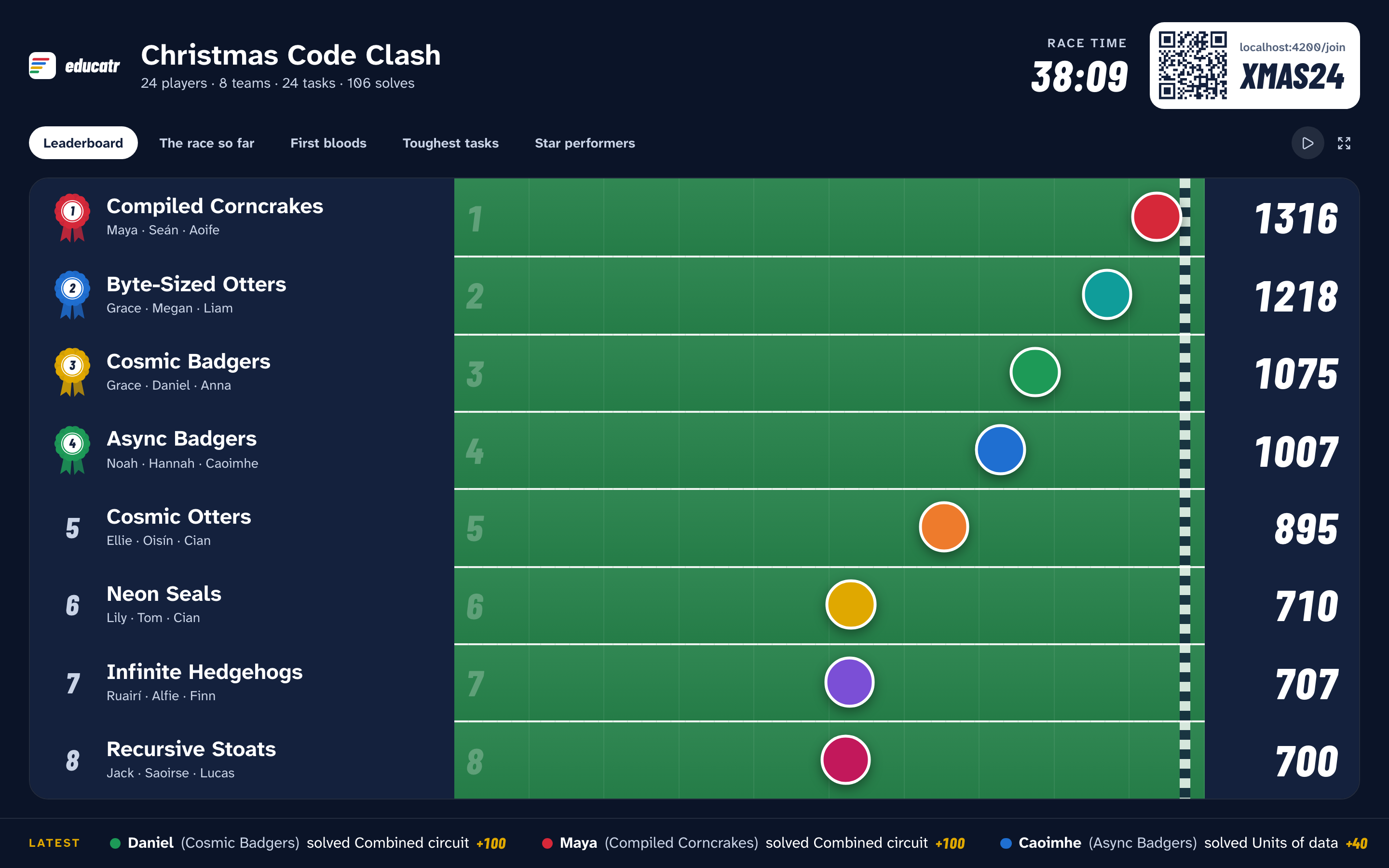
Every task on the board at once. Teams pick any order; only one teammate needs to solve each. Points land on the projector the instant they're earned, and teammates' screens light up with who solved what.

  • Auto teams, student-picked teams, or shuffle your classes into balanced teams in one click
  • First-blood bonuses, timed tasks, negative marking, hints that cost points
  • Runs until you stop it; pause for a word, announce to every screen
  • Awards for most improved and best helper, not just the winners
The arena whiteboard screen showing teams racing in lanes
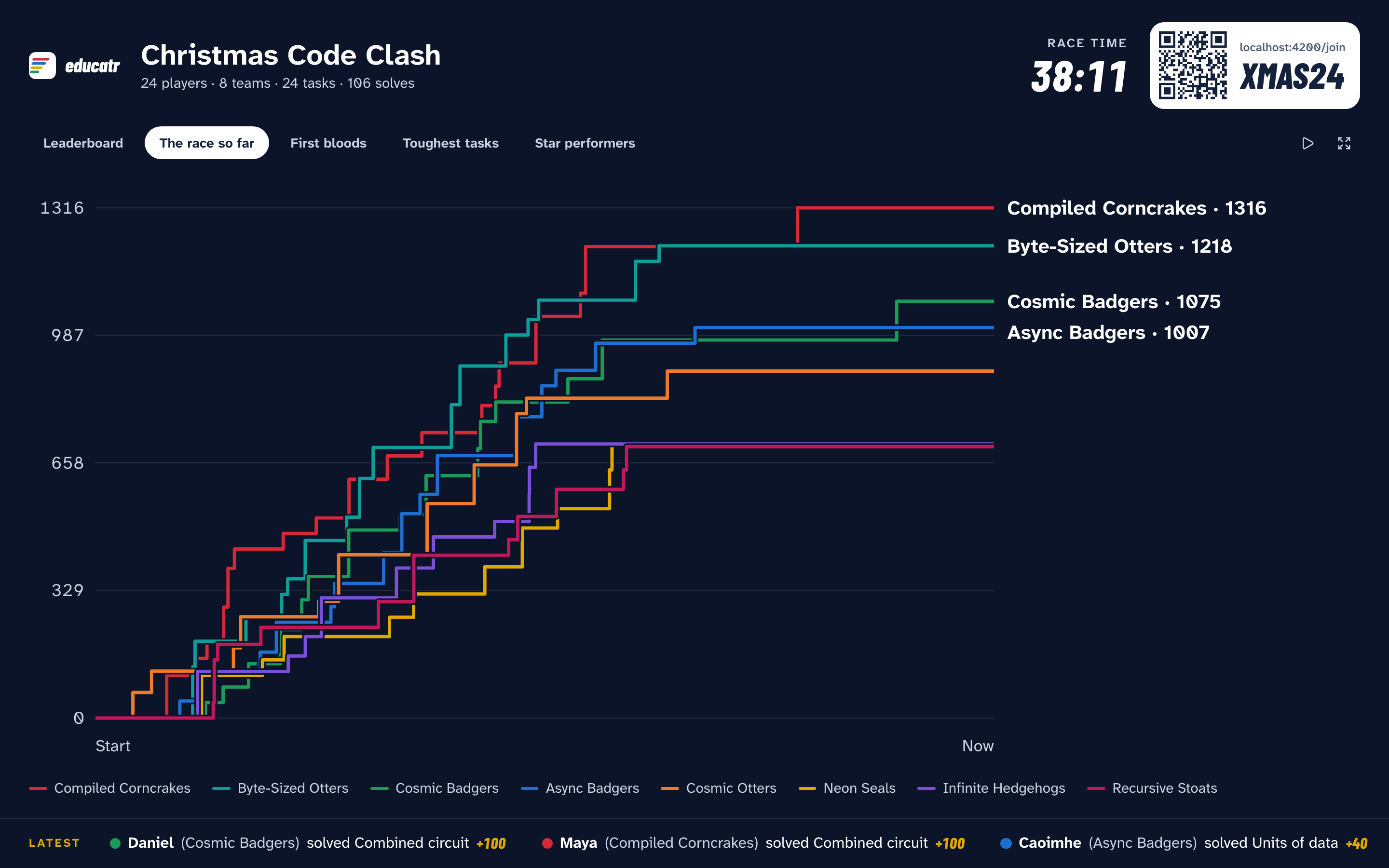
Race chart of each team's score over time
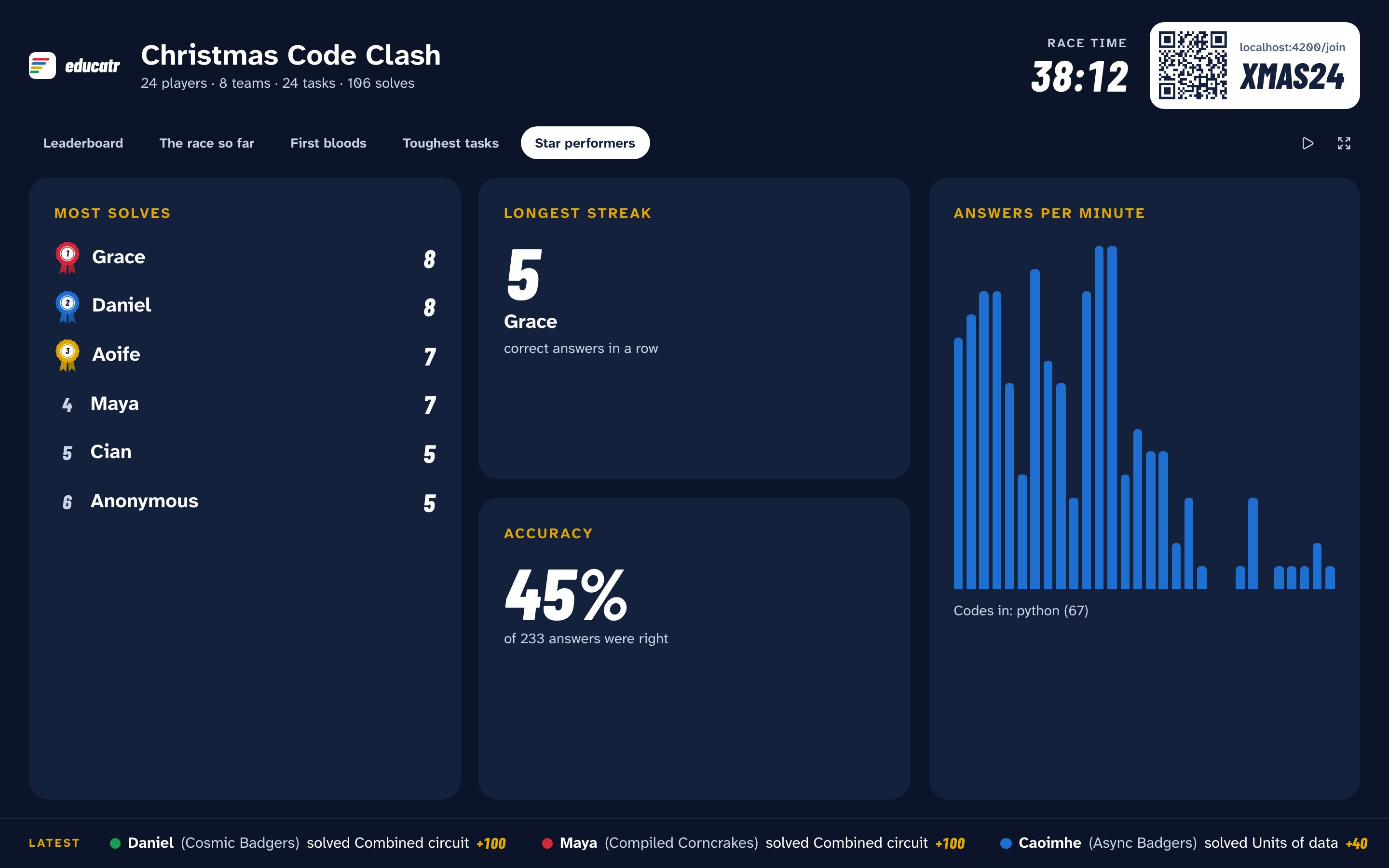
Star performers: most solves, longest streak, accuracy

Prefer a quick-fire quiz? Blitz runs Kahoot-style rounds with code snippets: faster right answers score more, streaks earn bonuses.

11:20

Marked before the bell.

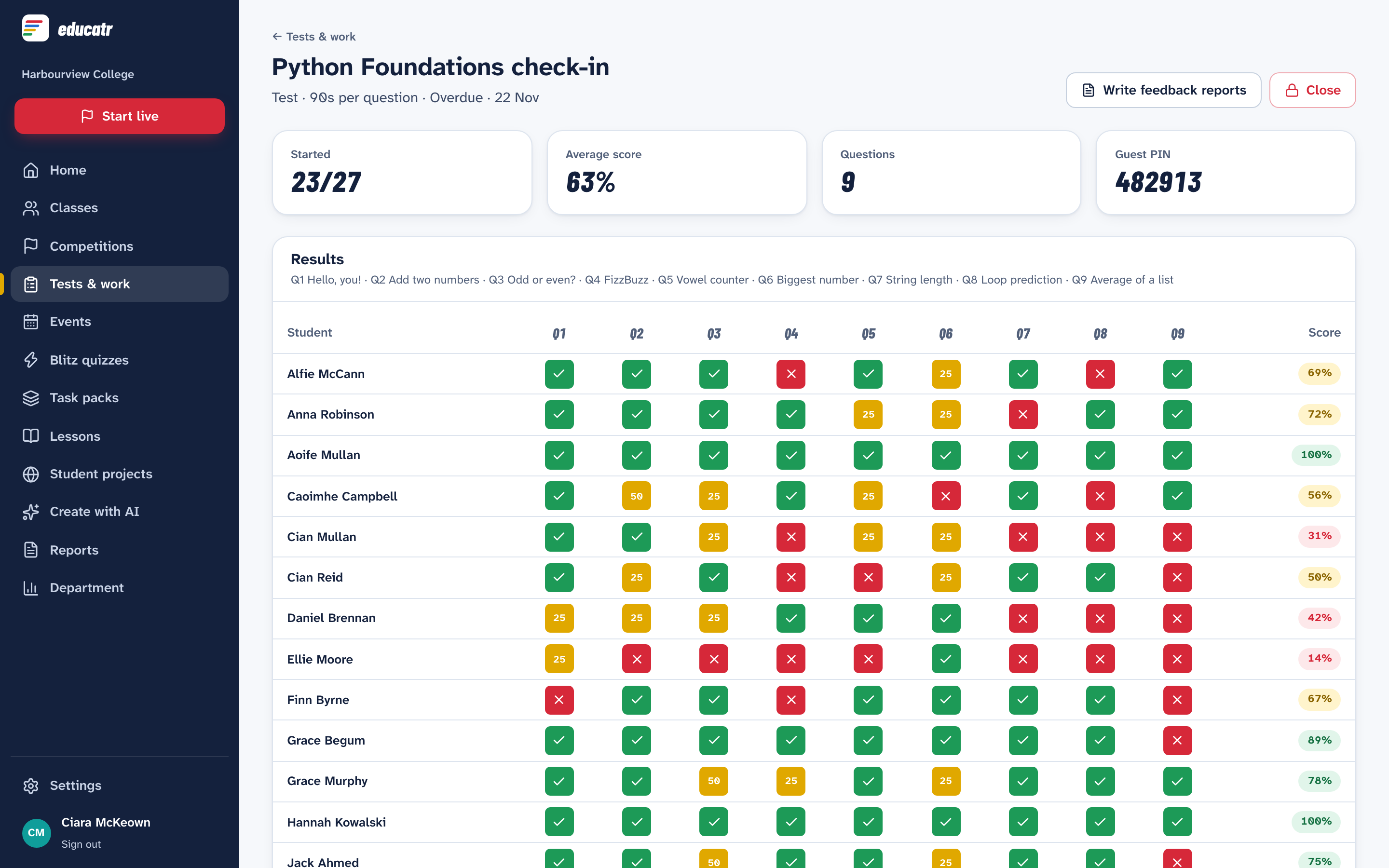
Results grid for a timed test, with every question marked

Tests run one question at a time on a server-timed clock, per question or for the whole test. Code, multiple choice, trace tables and key terms are marked the moment they're submitted.

  • AI-marked work (Scratch, web pages, definitions) shows its reasoning, and anything it's unsure of is flagged for you
  • Override any mark with one click
  • Copy-paste and tab-switch signals help you spot work that isn't their own
11:30

And the feedback writes itself.

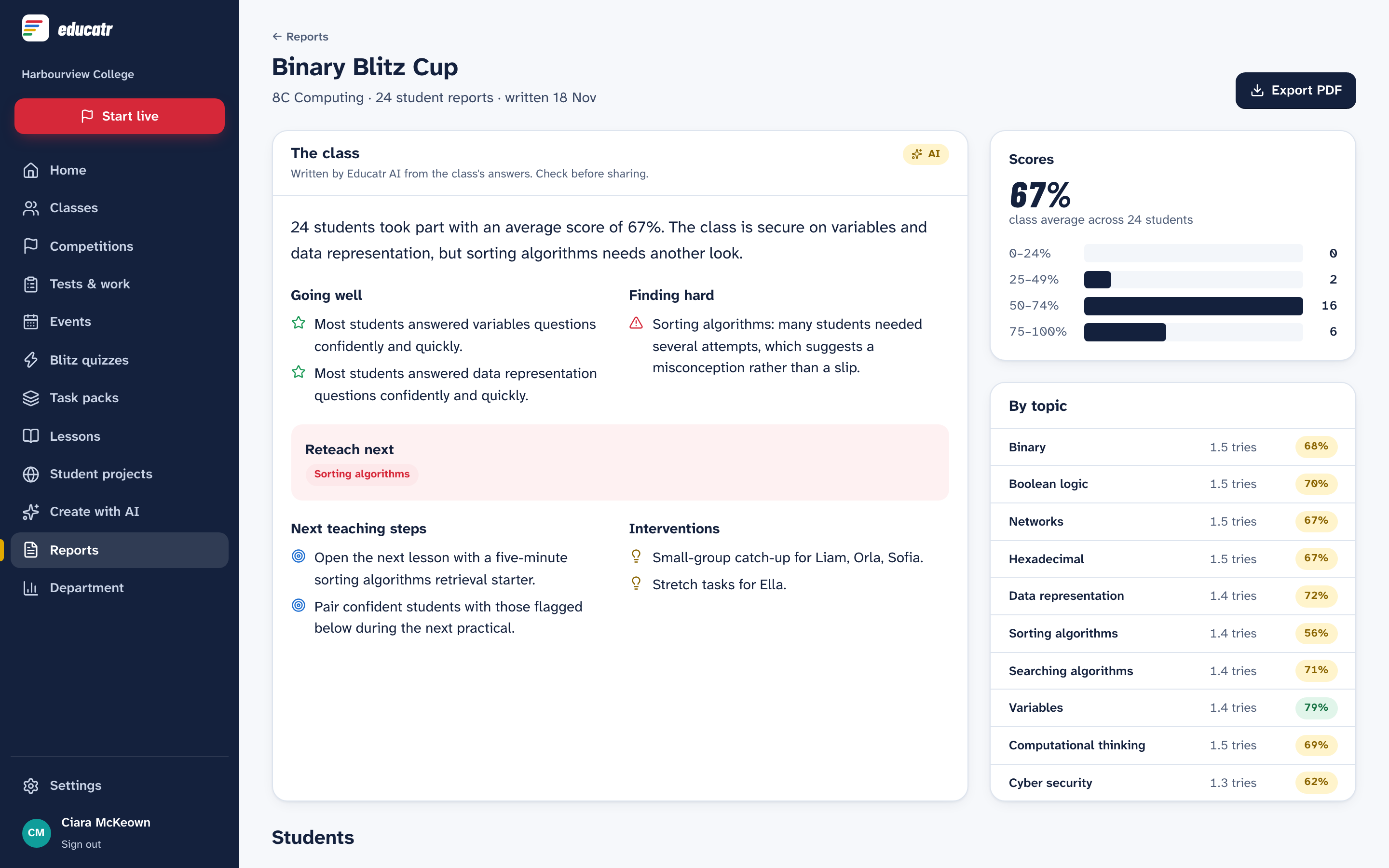
When the competition ends or the test closes, every student gets written feedback: what they’re secure on, what they found hard and what to practise next. The class gets a reteach list and suggested interventions.

  • Draft comments for school reports, one per student
  • Export the class, or any student, to PDF
  • Based only on their answers: students’ names are never sent to the AI
Try it with your class
Feedback report with class summary, reteach topics and topic scores

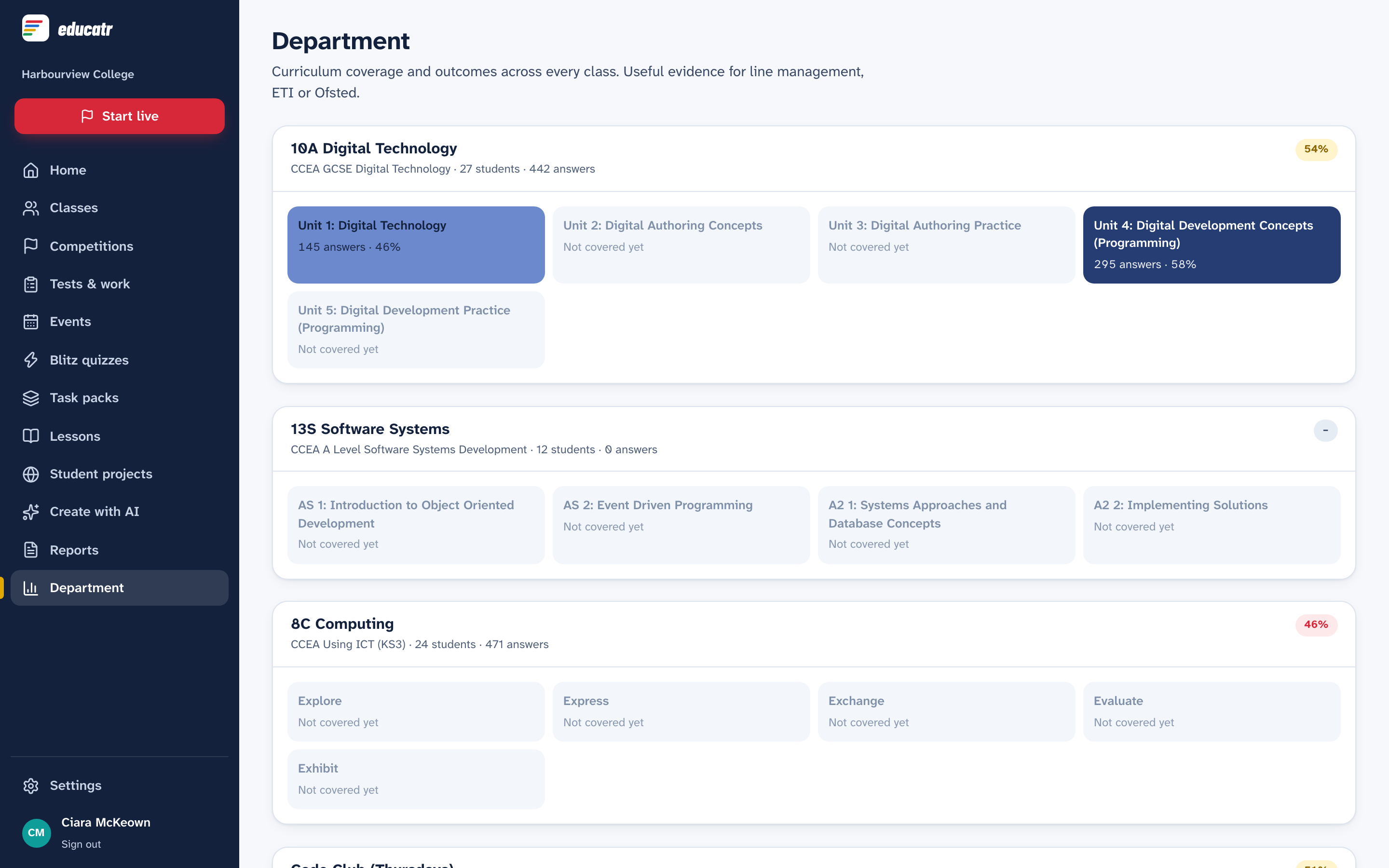
After the bell: evidence for your head of department

Department view showing specification coverage per class

Every task is tagged to the specification, so you can see which parts of the course each class has practised, and how well, at a glance.

CCEAAQAOCRPearsonWJECSQA
  • CCEA · Using ICT (KS1–2)
  • CCEA · Using ICT (KS3)
  • CCEA · GCSE Digital Technology
  • CCEA · A Level Software Systems Development
  • CCEA · A Level Digital Technology
  • AQA · GCSE Computer Science (8525)
  • OCR · GCSE Computer Science (J277)
  • Pearson · GCSE Computer Science (1CP2)
  • WJEC · GCSE Computer Science (WJEC/Eduqas)
10:39

Ready for Period 3?

Set up takes about a minute. Try it with one class, free, for as long as you like.