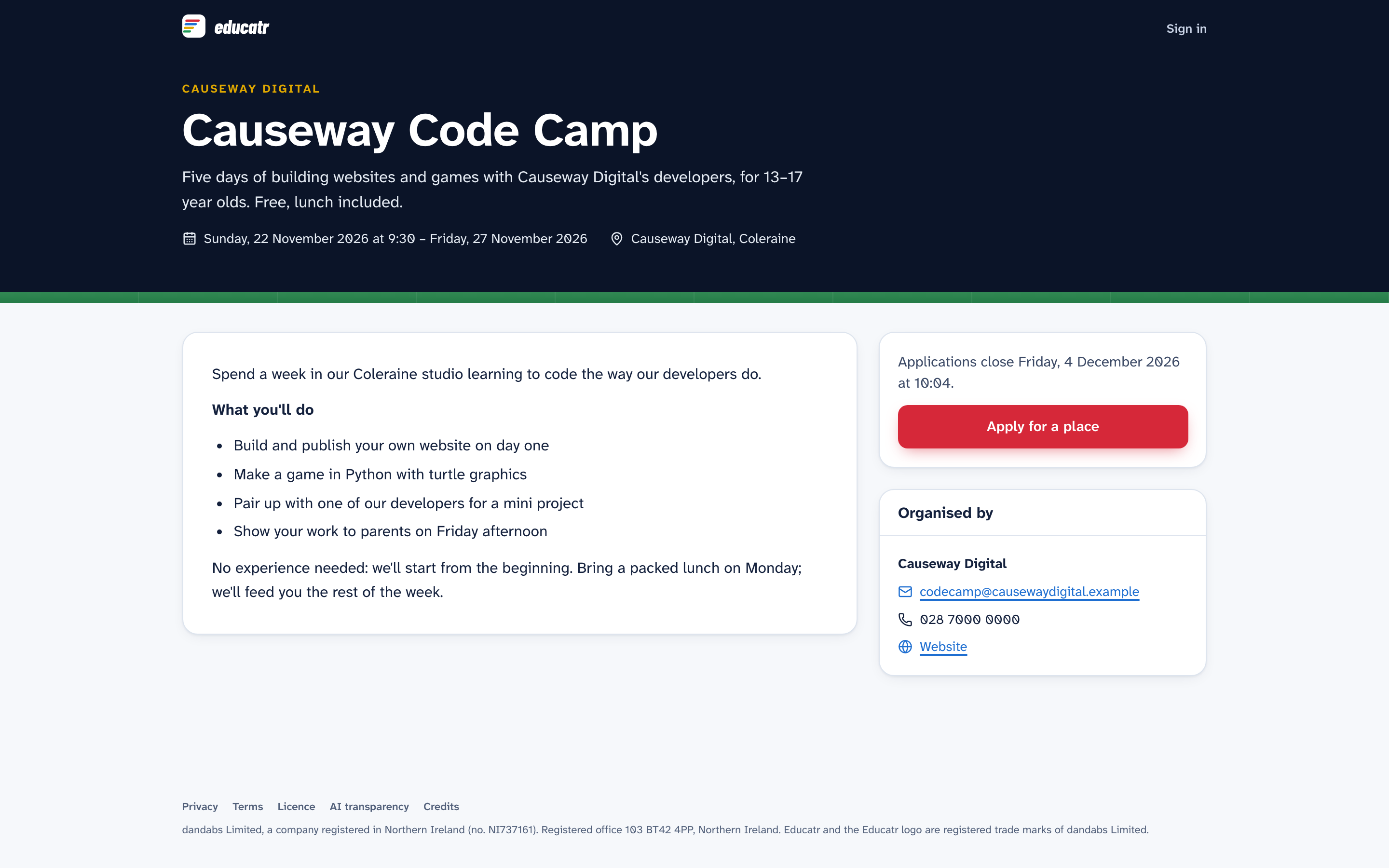
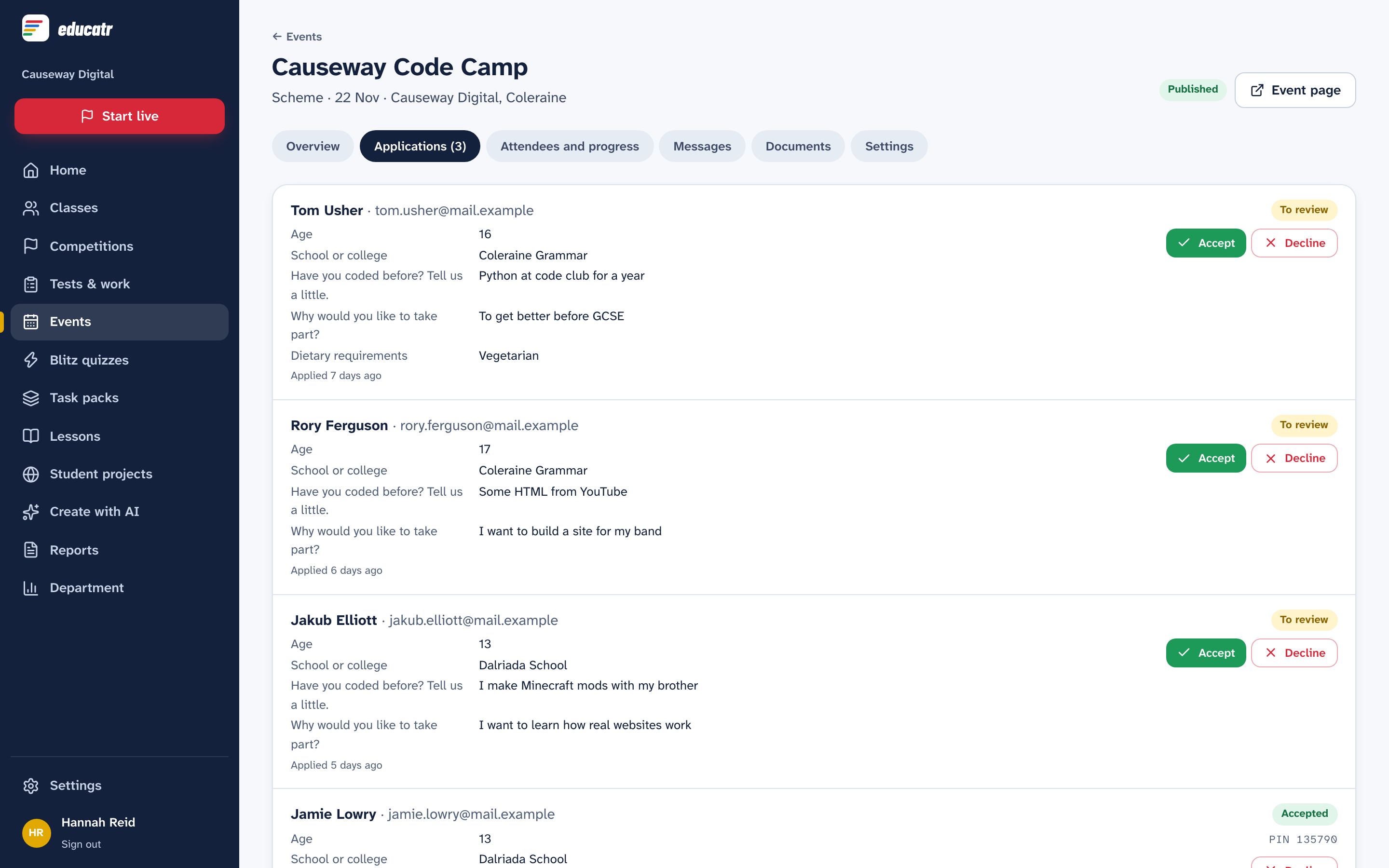
Applications, decided in a click
Applicants answer your questions on the event page. Accept or decline from one list; we email the decision and, for everyone accepted, their sign-in details.
- Ready-made questions plus your own
- Places limit
- Applicants can sign in first, or get an event PIN
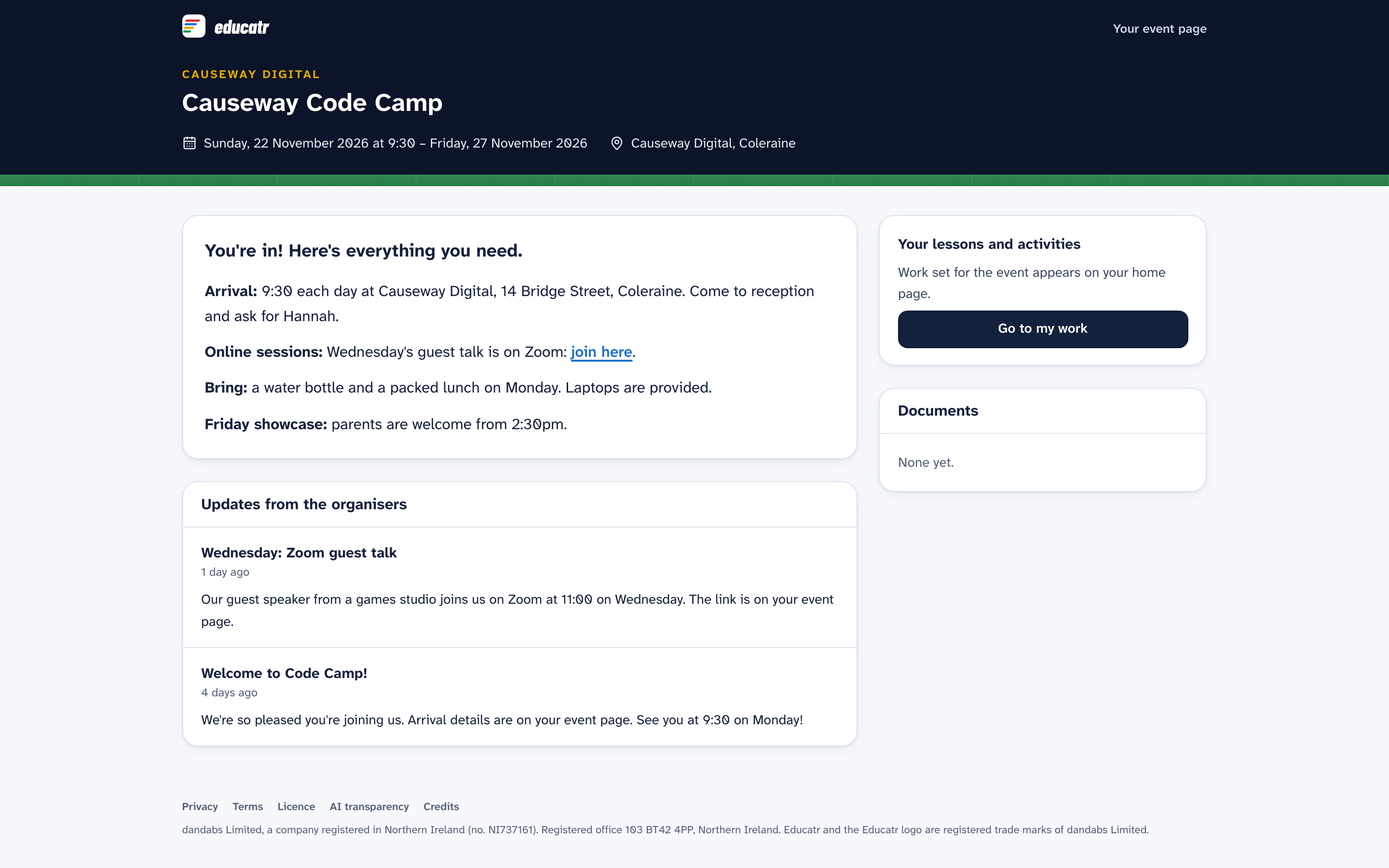
A page just for attendees
People who are accepted see joining details, documents and every update you send, in one place, as well as by email.
- Zoom links, rooms and kit lists
- Documents for attendees only
- Message everyone or one person
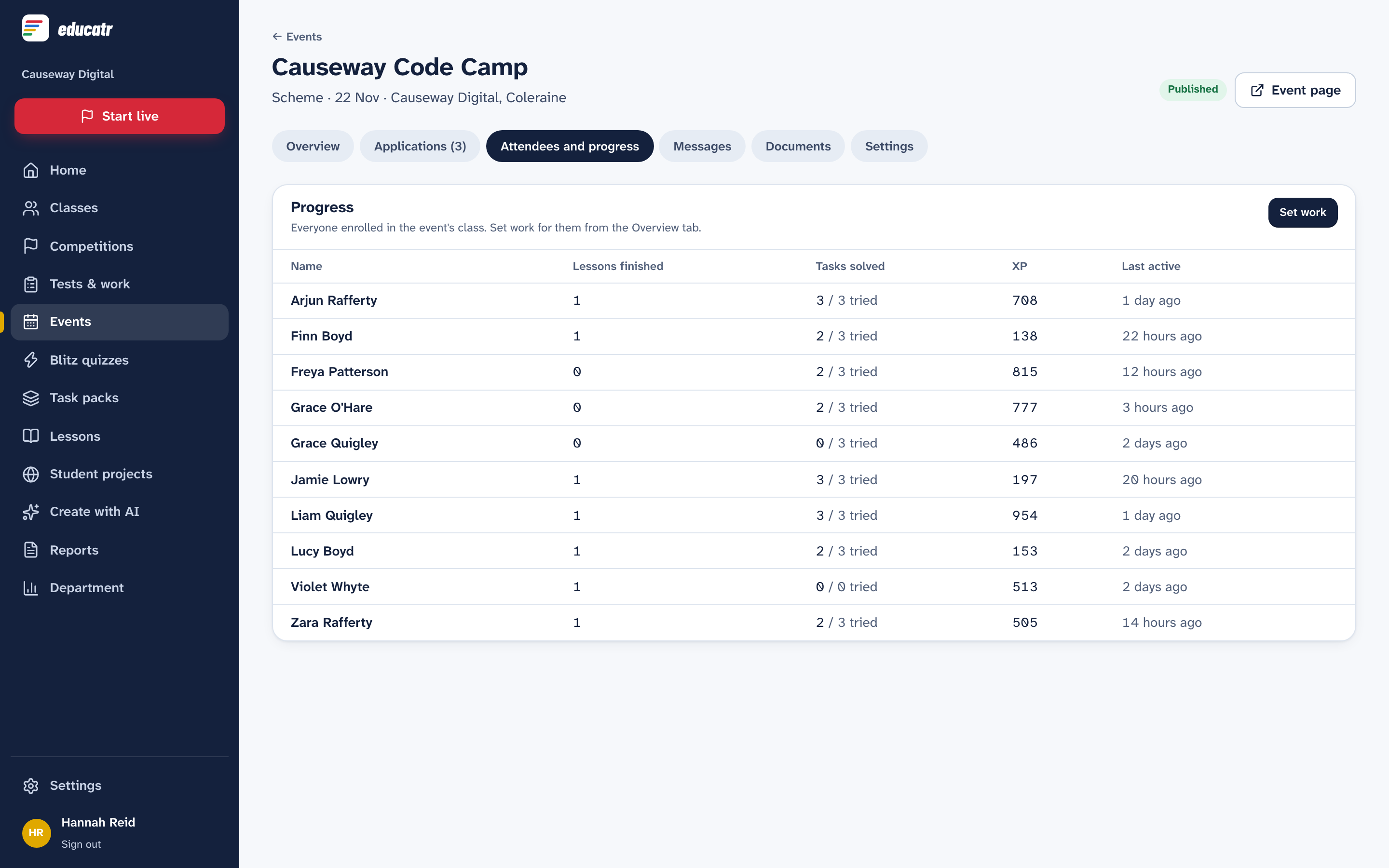
See everyone's progress during the week
Each event has its own class, so you set lessons, tests, Blitz quizzes and competitions with the normal tools. Progress shows on one table.
- Lessons finished and tasks solved
- Attendees' published websites
- Accounts expire after the event
Ways to run it
The formats coding schemes use most, shown working with our demo data.
The Arena
A capture-the-flag style race between teams, with the leaderboard, race chart and star performers on the whiteboard.
How it worksTeam play
What pupils see in a competition: the task board, instant marking and their teammates' solves arriving in real time.
How it worksBlitz quizzes
Quick-fire quiz rounds with code snippets, on the board and on every pupil's device. Faster right answers score more.
How it worksKing of the Hill
Every task is a hill. Solve it to capture it, then keep scoring for every minute you hold it, until another team takes it from you.
How it worksRelays
Tasks become legs of a race. Each leg unlocks when the team finishes the one before, and the baton passes to the next teammate.
How it worksCountdowns and pair roles
Give a competition a countdown, freeze the leaderboard for a tense finish, and have pairs swap between driver and navigator on a timer.
How it worksBattle Royale quizzes
A Blitz quiz where one wrong answer knocks you out. Pupils who are out stay and watch, and the last one standing wins.
How it worksLeagues
One table across several competitions: a house cup over the year, a termly inter-form league, or an inter-school league with a round each half term.
How it worksCode Quest
Steer a robot through 48 levels in eight worlds, fighting monsters and bosses, grabbing coins and keys, and learning loops, if, while and functions on the way.
How it worksBinary Blitz
Sixty seconds of binary, denary and hexadecimal conversions. Streaks score more, and hex joins in once pupils get five in a row.
How it worksBug Hunt
Short programs with one bug each, in every language Educatr runs, from Python and OCR pseudocode to C#, Java and Rust. Click the line with the bug, choose the fix, and see why it was wrong.
How it worksCode Golf
Make the program work in as few characters as possible. Every swing runs against the hole's tests, and beating par earns a rosette.
How it worksDaily challenge
One question a day, the same for everyone, with a streak for every day in a row. A two-minute habit that keeps computing ticking over.
How it worksLessons with checkpoints
Step-by-step lessons with code examples pupils can run, tips, exam tips and checkpoint questions marked as they go.
How it worksWebsite projects
Pupils build real websites with a live preview beside their code, and can share them with a link when they're proud of them.
How it worksTurtle art and code projects
Programs in any of fourteen languages saved as projects; Python turtle programs draw in a window beside the code.
How it works
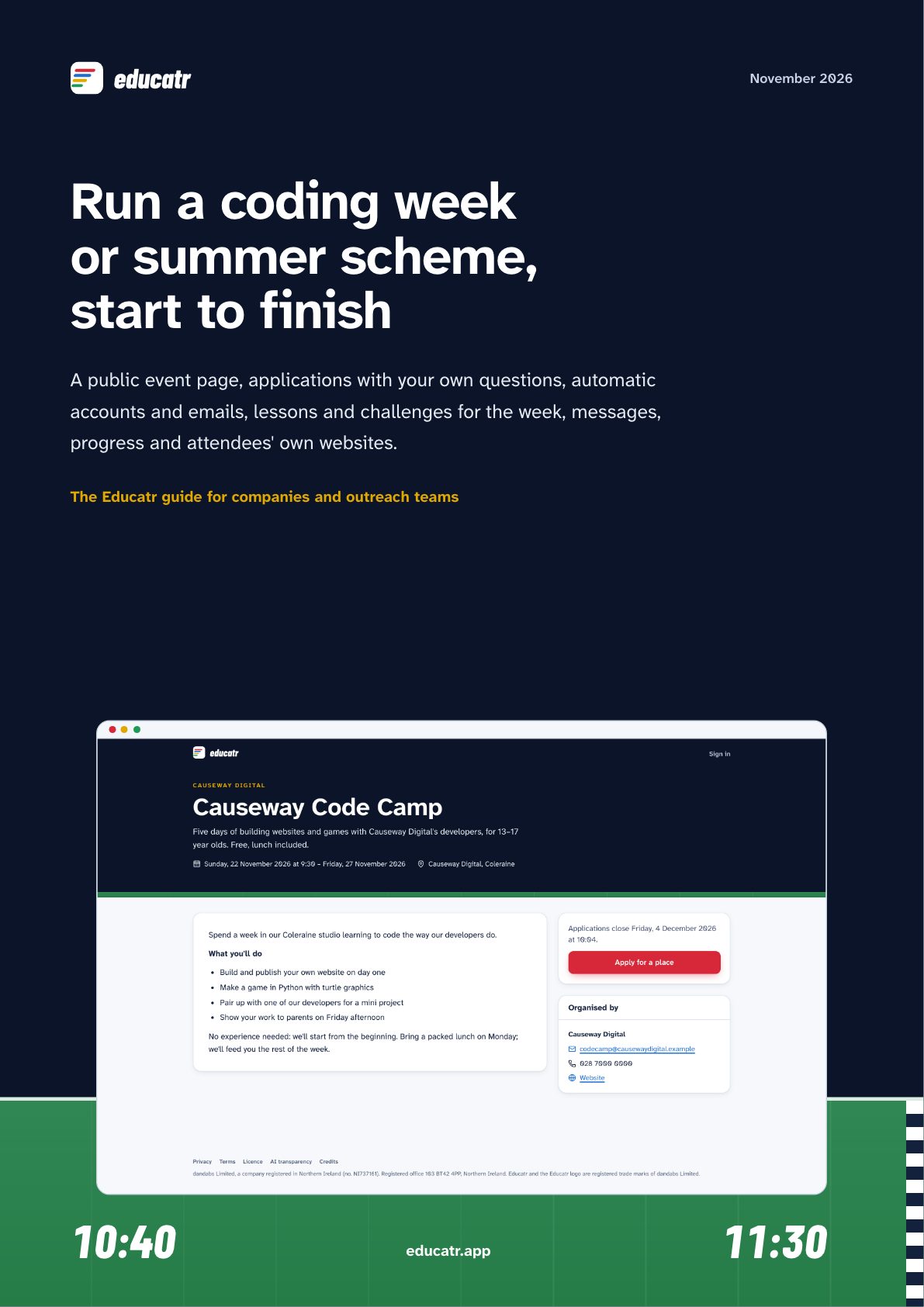
Everything in one guide
This page shows the highlights. The guide has every feature, a worked example, prices, safety and data protection, and answers to the questions people ask, in a PDF of 15pages you can share with colleagues.
Download the PDF (3.2 MB)Fixed-price event plans, no per-head fees.
See event plansEducatr is also used by
Screenshots show fictional organisations with illustrative data.